The Need for Speed: Microsoft’s New “LLP” Mode Aims to Make Windows 11 Snappy Again

We’ve all been there: you click the Start menu or right-click a file, and there’s that tiny, agonizing split-second of hesitation. Your PC has a high-end processor and enough RAM to launch a rocket, yet the interface sometimes feels like it’s wading through digital molasses.
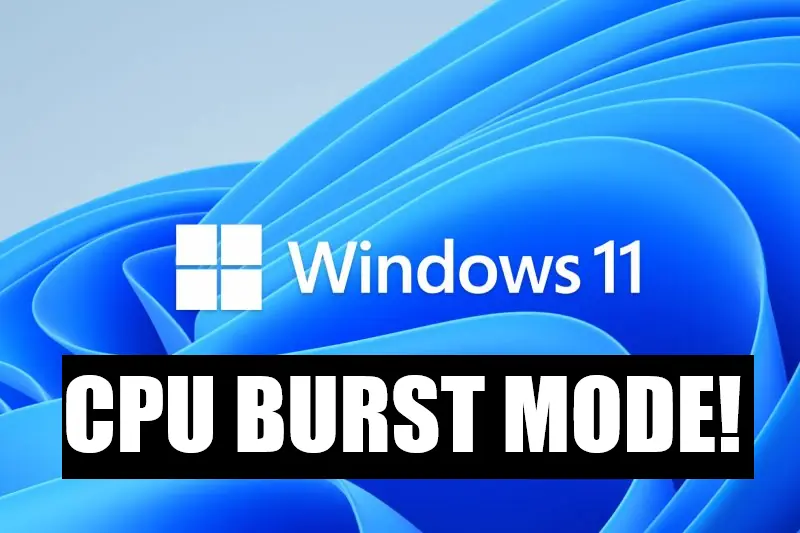
Microsoft seems to have heard the collective sigh of millions. The latest buzz from Redmond centers on a new feature currently in testing called the Low Latency Profile (LLP). Part of a broader performance initiative internally dubbed “Project K2,” LLP is designed to eliminate those micro-stutters by giving your CPU a literal shot of adrenaline exactly when you need it.
What Exactly is LLP?
At its core, Low Latency Profile is a “burst mode” for your processor. Historically, Windows and your hardware try to balance power and performance. When you’re just looking at your desktop, the CPU “clocks down” to save energy. When you click to open an app, the system realizes it needs more power and starts ramping up the speed.
The problem? That “ramping up” takes time. LLP skips the gradual climb and tells the CPU to instantly hit its maximum boost clock for a duration of 1 to 3 seconds the moment you initiate a high-priority task.
The Numbers: How Much Faster?
Early reports from the Windows Insider circles suggest that this isn’t just a marginal gain. By forcing the hardware to peak performance during the “loading” phase, Microsoft is seeing dramatic improvements:
App Launches: Apps like Microsoft Edge and Outlook are reportedly opening up to 40% faster.
System UI: The Start Menu and context (right-click) menus—frequent sources of user annoyance—are seeing responsiveness gains of up to 70%.
Third-Party Software: While results vary, early testers have noted that even heavy suites like Adobe Creative Cloud feel noticeably “lighter” on their feet.
The “Race to Sleep” Strategy
A common concern with any “max performance” mode is battery life and heat. If the CPU is redlining, won’t my laptop turn into a space heater?
Microsoft is banking on a concept called “Race to Sleep.” The logic is simple: it is often more energy-efficient to run a CPU at 100% power for one second to finish a task and return to an idle state than it is to run it at 50% power for three seconds. By shortening the “work” window, the total energy consumed can actually stay neutral, or in some cases, even improve.
Expert Note: This is similar to a trick Nintendo used for the Switch. By temporarily overclocking the CPU during loading screens, they slashed load times in games like The Legend of Zelda: Breath of the Wild by several seconds without melting the handheld.
Optimization vs. Raw Power
Of course, not everyone is a fan. Critics argue that Microsoft is “throwing hardware at a software problem.” The argument is that if Windows 11 were leaner and less “bloated,” it wouldn’t need a 5GHz burst just to show you a list of files.
However, as part of the K2 effort, Microsoft is also working on modernizing legacy code and moving more UI elements to the more efficient WinUI3 framework. LLP is simply the hardware-side “brute force” partner to those software-side refinements.
When Can You Get It?
LLP is currently hidden behind feature flags in the latest Windows 11 Insider builds. If testing goes well, we can expect to see it rolled out to the general public in a major 2026 update. For now, it’s an automatic, invisible feature—you won’t see a “Turbo Button” in your settings, but you should certainly feel the difference.
In an era where “AI” is the buzzword for everything, it’s refreshing to see Microsoft focusing on the fundamentals: making the OS we use every day feel fast, fluid, and responsive.
Does your Windows 11 feel fast enough, or are you waiting for that 70% boost to arrive?











 Omada
Omada